

Diagnostic Cardiology Suite ECG

The Diagnostic Cardiology Suite offers a versatile platform that caters to your clinical needs, allowing you to perform a range of diagnostic tests including electrocardiograph (ECG/EKG) and spirometry tests. This integrated solution enables you to conduct both ECG and spirometry tests within a single platform, helping to streamline your workflow.
Explore this Product
Overview
Diagnostic Cardiology Suite ECG
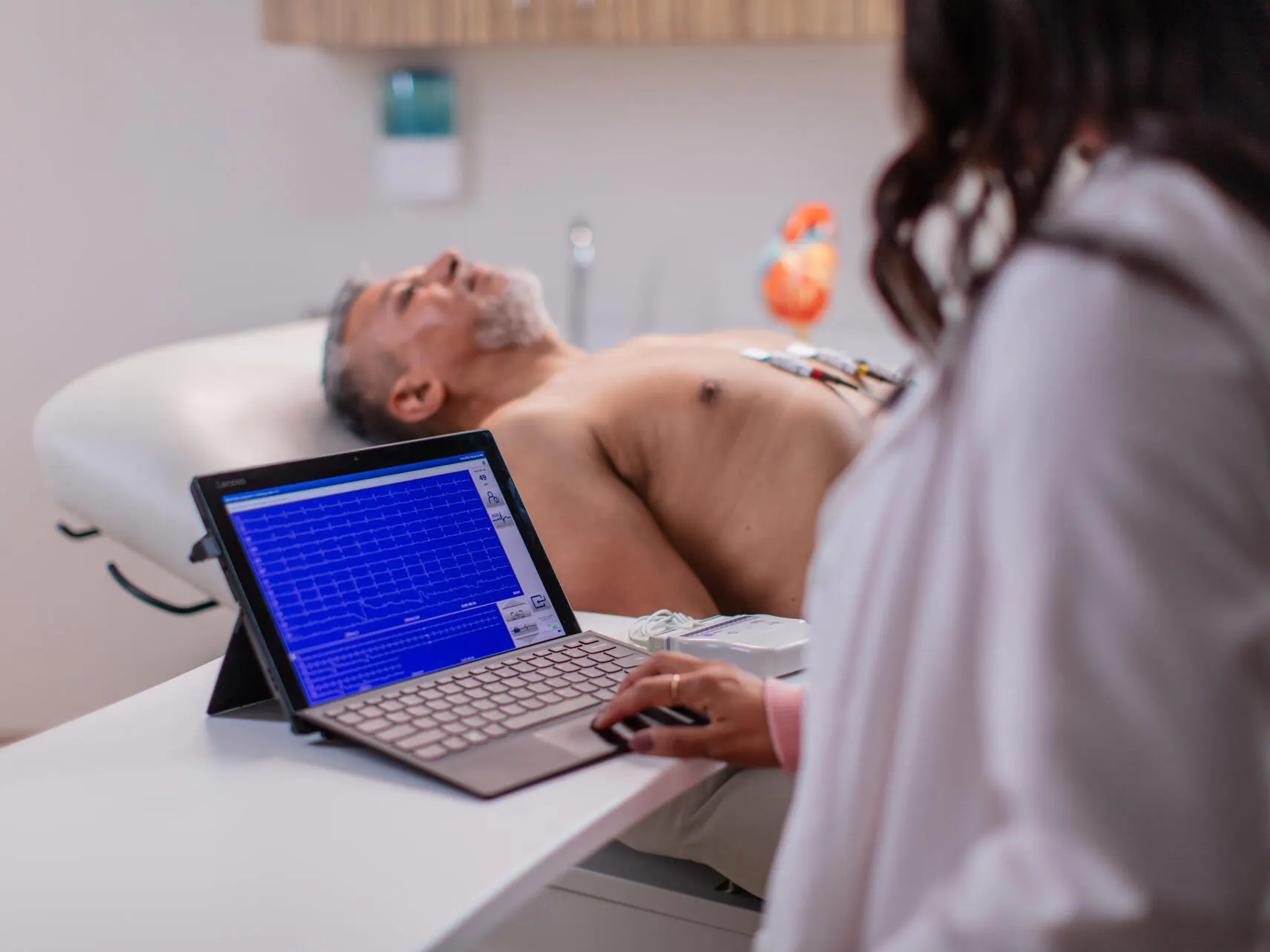
Designed with your workflow in mind, the Diagnostic Cardiology Suite PC-based ECG includes ECG and spirometry capabilities to help you make informed clinical decisions while performing two reimbursable tests.
Capture and send patient data to your EMR automatically for streamlined workflows and help reduce data-entry errors.
Our flexible platform can adapt to meet your clinical needs, whether you want to perform both exam types or prefer standalone diagnostic ECG or diagnostic spirometry solutions.
Streamline Clinical Workflows with EMR Connectivity

Launch an Exam
A clinician launches the Diagnostic Cardiology Suite from their EMR to perform an exam

Capture ECG Results
An ECG is captured and saved for physician review, editing and signature.

Complete the Report
A final report with discrete data is uploaded to your EMR in the patient’s chart.
Streamline Clinical Workflows with EMR Connectivity
Improving Patient Satisfaction and Practice Efficiencies
The [Diagnostic Cardiology Suite ECG] has been a great additional offering for our patients. The system is a significant improvement over the old machine we used several years ago, which was clunky and unreliable.
Chiara Bonardi, RN

Features
Diagnostic Exam Made Simple
The Diagnostic Cardiology Suite allows you to:
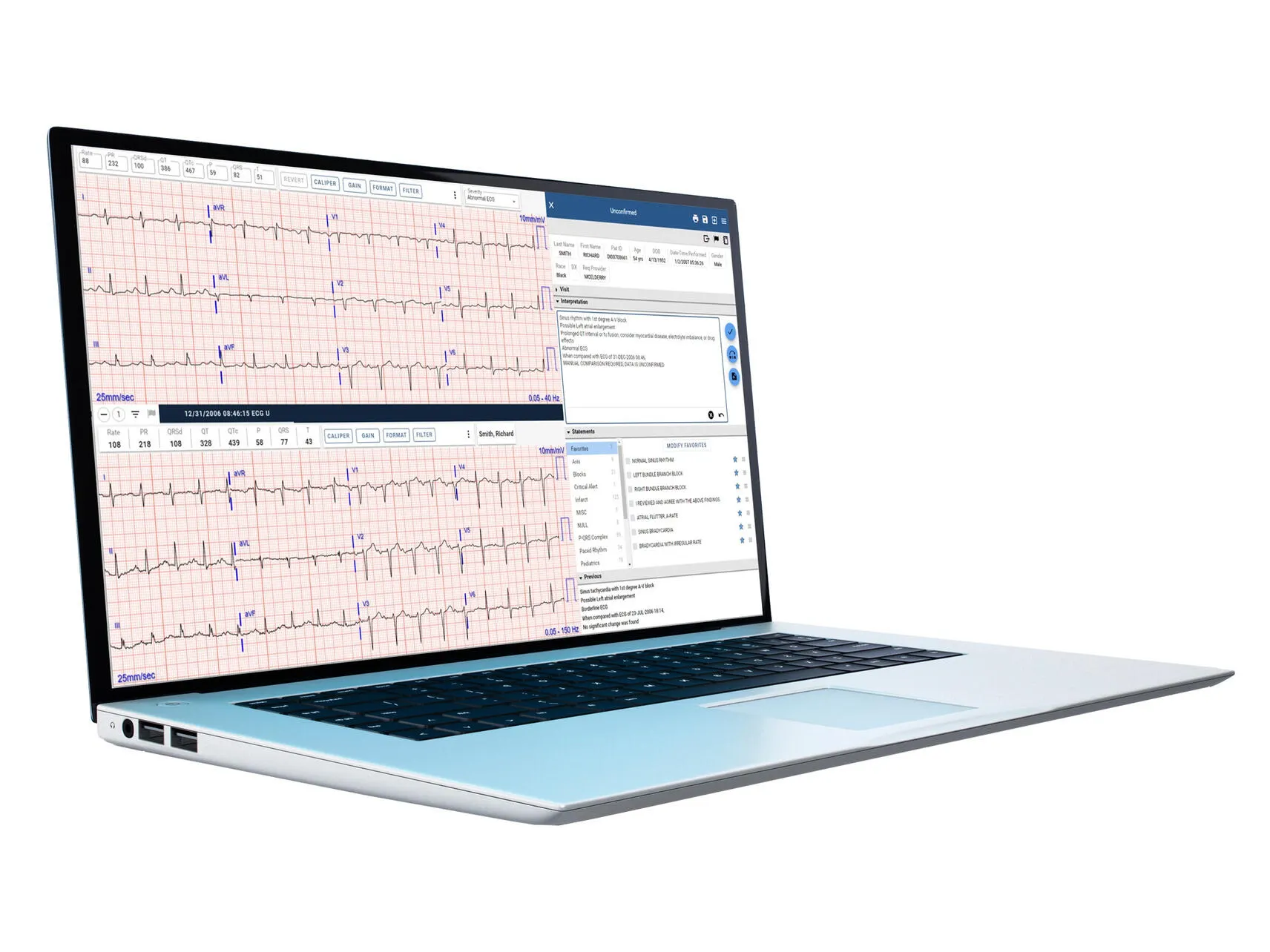
- See the critical waveform data you need with the widely recognized Vertias ECG algorithm
- Launch the ECG and spirometry applications directly from your EMR
- Use one PC-based ECG system for spirometry and ECG exams for a common workflow and setup
- The ECG analysis software helps to streamline your workflow by capturing and saving an ECG in as few as two clicks
- Capture ECGs wirelessly with the wireless acquisition module (WAM) and help increase workspace flexibility
- Use the Best 10 feature designed to help reduce repeat ECGs by capturing the best ten seconds of ECG data from up to five minutes of acquired data
- Use flexible connectivity options directly integrated into your EMR and support DICOM communication to your PACS or ECG management system
- Securely control user logins, assign user roles and access audit trails
Spirometry Exams in One Simple, Connected and Secure Solution
Our spirometer helps reduce cross-contamination with single-use transducers and automatically records ambient conditions like temperature, pressure and humidity before each exam. Built-in incentive screens and exam features help verify test quality instantly, while repeatability criteria provide real-time feedback to support better patient coaching.

Diagnostic Cardiology Suite ECG Options & Specifications
For all available Diagnostic Cardiology Suite ECG options and specifications visit our U.S. Catalog
| Available Options | |
|---|---|
| CC-RXX-WAXX | DCS resting ECG with Wireless Acquisition Module (WAM), (PC not included) |
| CC-RXX-AAXX | DCS resting ECG with AM12 (PC not included) |
| DCSS-CXX | DCS spirometry with calibration syringe |
| CC-RXX-WADX | DCS Resting ECG with WAM and DICOM |
| CC-RXX-AADX | DCS Resting ECG with AM12 and DICOM |
Order & Support
Learn More About Diagnostic Cardiology Suite ECG
Ordering and Support Information for Diagnostic Cardiology Suite ECG
Get additional ordering, customer, technical, and medical support information for Diagnostic Cardiology Suite ECG by contacting Baxter using the links below.

U.S. Catalog
To buy this product, purchase OEM parts and accessories, find a distributor, or look for options and specs please visit U.S. Catalog.

U.S. Support
For manuals and documentation, product training, technical support and services, submit repair and return requests or check order status for Hillrom, Allen Medical and Welch Allyn product please visit U.S. Support.

U.S. Edu
For medical information or non-promotional education about our products or therapies, please visit U.S. Edu.

Customer Account
For customers ordering our Hillrom and Welch Allyn products, you can still access personalized inventory tracking, media libraries, and order history. For all other needs, our U.S. Support site is always available to keep you moving forward.

Contact Us
To find contact details and assistance for Baxter products, report an adverse event or report a product complaint, or any other inquiries, please visit our contact us page.
Ready for More?
Complete this form to have a representative reach out.
Resources
Frequently Asked Questions
Can I download the Diagnostic Cardiology Suite software?
Software for the Diagnostic Cardiology Suite is only available on USB. To request a copy, please contact Baxter Customer Care at 1-800-535-6663.
How do I know if the Diagnostic Cardiology Suite will work with my EMR/EHR?
The Diagnostic Cardiology Suiteis compatible with many of today's EMR/EHR products. To learn if yours is one of them, please see our Connected Partner list.
Is the Diagnostic Cardiology Suite compatible with operating systems other than Windows (e.g., Linux or Apple)?
No. The Diagnostic Cardiology Suite is only compatible with Windows operating systems. Please refer to its minimum system requirements documentation to see the supported Windows versions.
Where can I find the serial number for the Diagnostic Cardiology Suite?
Your Diagnostic Cardiology Suite's serial number can be found on the Product ID card that shipped with the product. During installation, a prompt requires you enter the serial number, so it is also stored within the software itself. If you've successfully completed installation, you can log into the system, select System Configurations > About and see the serial number listed in that section.
What maintenance do you recommend for my Diagnostic Cardiology Suite?
See the Cleaning section in the system's User Manual for details. Follow its recommended regular cleaning procedures in accordance with your onsite policies. We further recommended that you regularly calibrate the spirometer; see the Spirometry User Manual for details.
Where can I find minimum system requirements for the Diagnostic Cardiology Suite?
Please refer to the User Manual and other supporting documentation to find system requirements.
More Products
Explore More Products


Other Information
Disclaimers
Rx only. For safe and proper use of product mentioned herein, please refer to the Operator’s Manual or Instructions for Use.
Baxter, Hillrom, Welch Allyn, ELI, Q-Stress and Veritas are trademarks of Baxter International Inc. or its subsidiaries. Any other trademarks, product names or brand images are the property of their respective owners.